

SSH
Stands for "Secure Shell."
SSH is a networking protocol for securely connecting to one computer from another across a network. It allows a user to remotely log in to a computer where they may view data and issue commands. It also supports secure file transfers using SFTP. SSH uses encryption to protect the connection against eavesdropping, even if used over an insecure network connection.
Unix, Linux, and macOS have long included both SSH server and client programs. Windows 10 and later versions also include SSH client and server, accessible through the command line. Using an SSH client to connect to another computer gives you the same command-line access that you would have if you were at that computer's keyboard; use Unix commands when connected to a Unix, Linux, or macOS computer, and Windows / DOS commands when connected to a Windows computer. SSH server software also runs on some enterprise-level networking equipment like routers to allow network administrators remote access to their hardware.
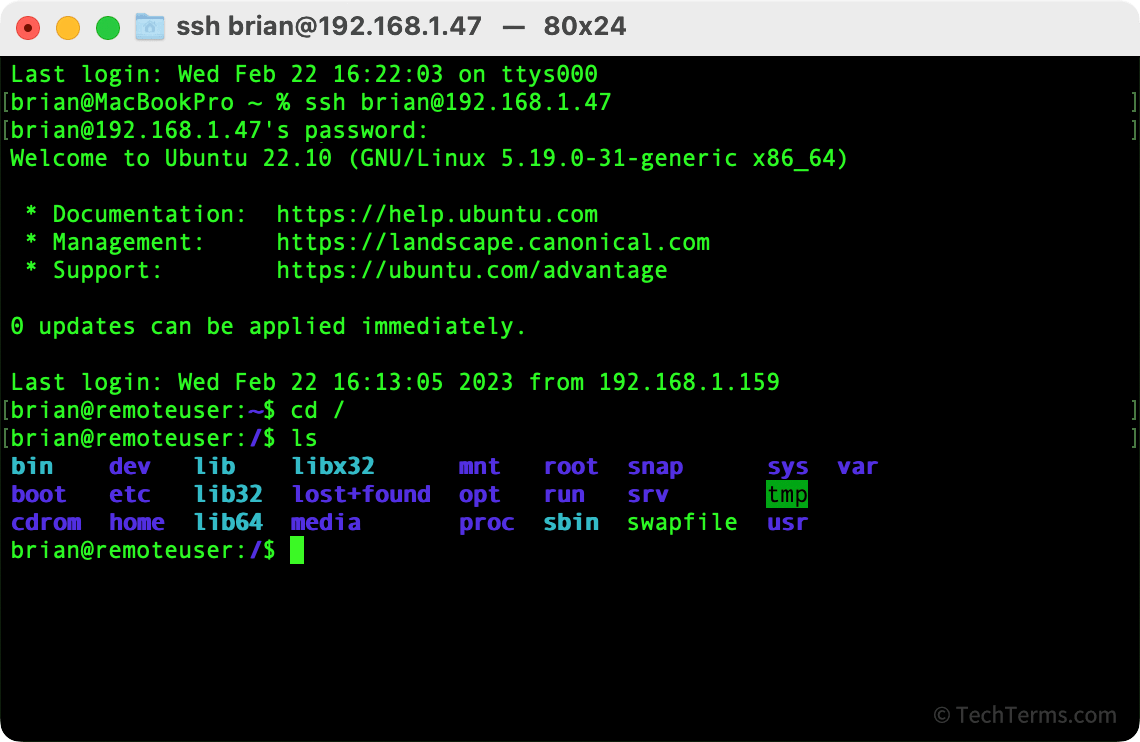
SSH was first introduced as a secure alternative to the Telnet protocol, which lacked encryption and sent every command as plain text. SSH encrypts all traffic traveling over the protocol to prevent unauthorized people in the middle from accessing and reading the traffic. While the most common use for SSH is for remote terminal sessions, it can also work as a tunnel for other protocols to securely transmit data.
 Test Your Knowledge