

Copy
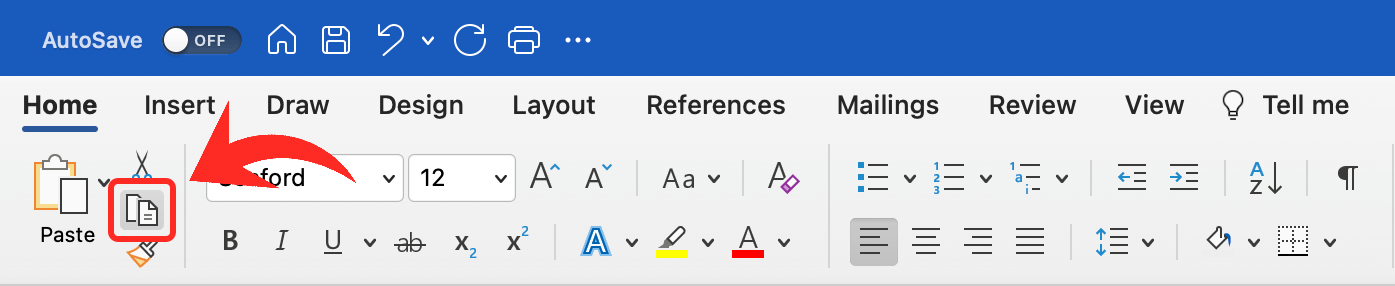
To copy text or data is to create a duplicate in the system clipboard. Once you've copied something, you can paste it into another part of the same document, another document in the same program, or another program entirely. Copying data is similar to cutting it, but cutting removes the data from its original spot, and copying it leaves it in place. You can select the Copy command from a program's Edit menu or use the keyboard shortcut + on (Windows) / + on (macOS).
The Copy, Cut, and Paste commands are some of the earliest interface metaphors that came with graphical user interfaces. They are meant to remind computer users of physical interactions with paper documents — copying a page of paper on a photocopier to create duplicates while preserving the original, destructively cutting text out of a page using scissors or a knife, and placing either the cut original or copied duplicate onto another page using paste. Thankfully, copying text in a digital document is much easier through menu commands and keyboard shortcuts.
While a piece of copied data is on the system clipboard, you can paste it anywhere that can accept that data type. For example, you can paste text anywhere you can enter text, or paste image data in any image editor or desktop publishing app. You can also copy and paste files in your file browser to create duplicates in another folder or on another disk. You can paste the same data multiple times since pasting does not remove data from the clipboard. However, copying something new replaces the contents of the clipboard. Some operating systems allow you to go back through the clipboard's history to recover something you had copied earlier, but this requires extra steps and not an easy keyboard shortcut.
 Test Your Knowledge